Home/Changelog

JuiceMind Changelog

Every new feature, curriculum, and improvement. What shipped, when it shipped, and what it means for your classroom!

  1. Features

    You can now set copy/paste, submission and re-submission rules once and apply them to every assignment in your class. With class-wide settings, you can:

    • Set rules once instead of updating each assignment.
    • Turn off copy/paste across a whole class in one step.
    • Keep submission and re-submission rules consistent across the course.
    • Override the defaults on any assignment that needs different rules.
    • Sync settings across all your classes with "Link all pages".
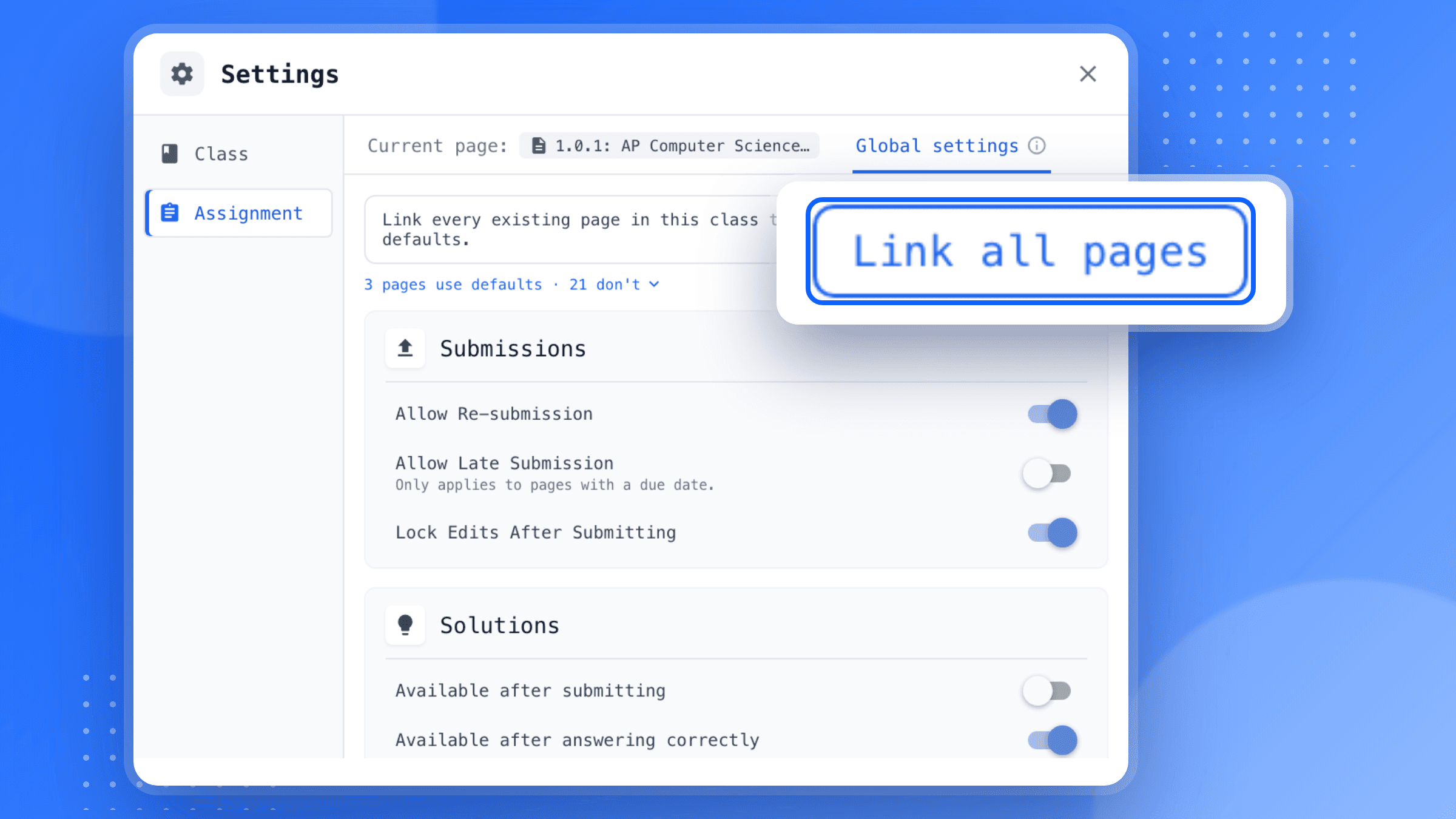
    The JuiceMind Settings window on its Assignment tab with Global settings selected, showing 3 pages use defaults and 21 don't, Submissions toggles for Allow Re-submission, Allow Late Submission and Lock Edits After Submitting, and Solutions toggles, beside an enlarged Link all pages button called out on a blue background.
    Try class-wide settings on JuiceMind here
  2. Grading

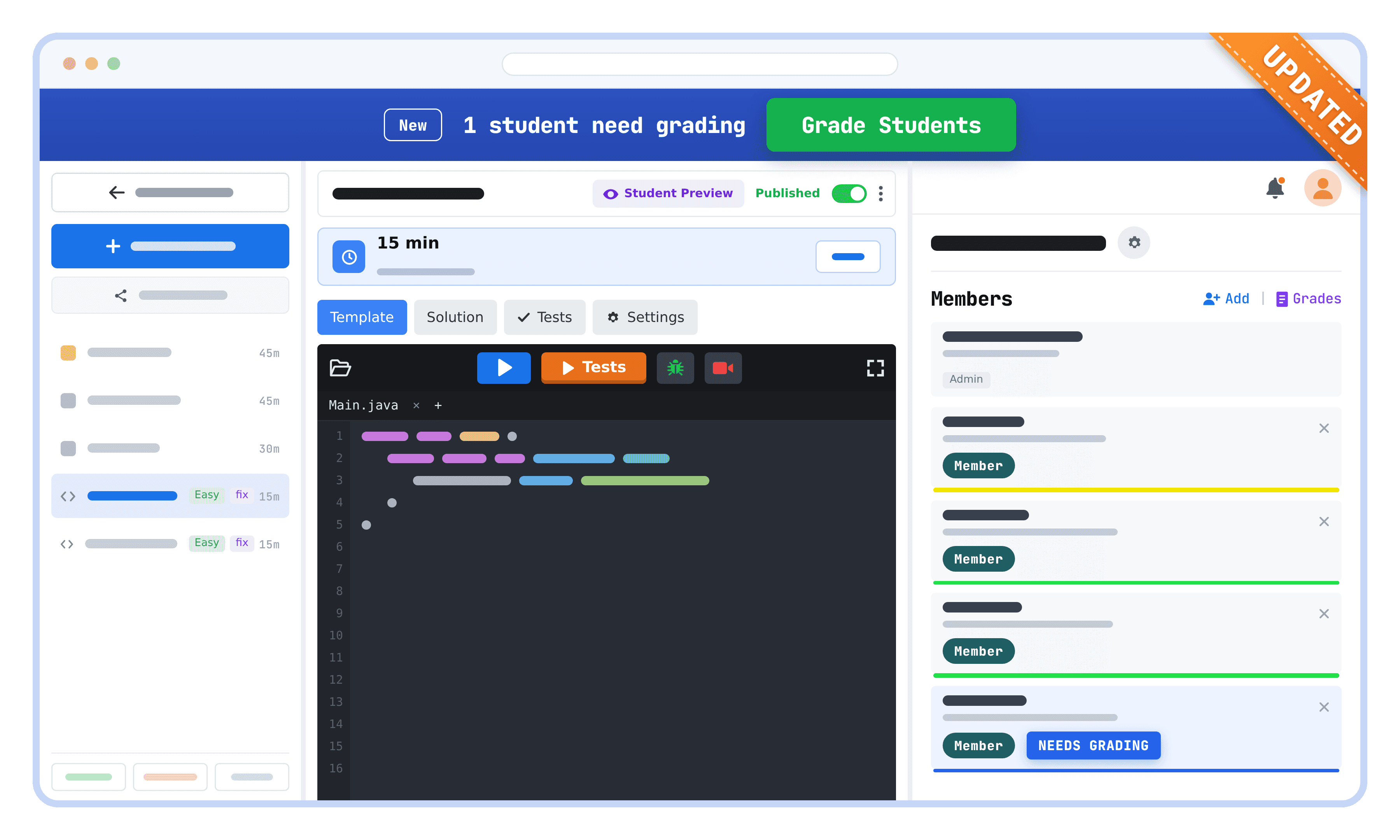
    We rebuilt our grading system from the ground up, so teachers can now grade up to 60% faster. Here's what you can do with the updated grading experience:

    • See how many students are still waiting on a grade the moment you open an assignment.
    • Give your students the opportunity for another attempt by resubmitting the assignment.
    • Click any gradebook cell to open that student's work without leaving the page.
    A JuiceMind assignment with an UPDATED corner ribbon: a blue banner reads 1 student need grading beside a green Grade Students button, above a Java code editor and a Members panel where one student is tagged Needs Grading.
    Try the updated grading system on JuiceMind here
  3. Features

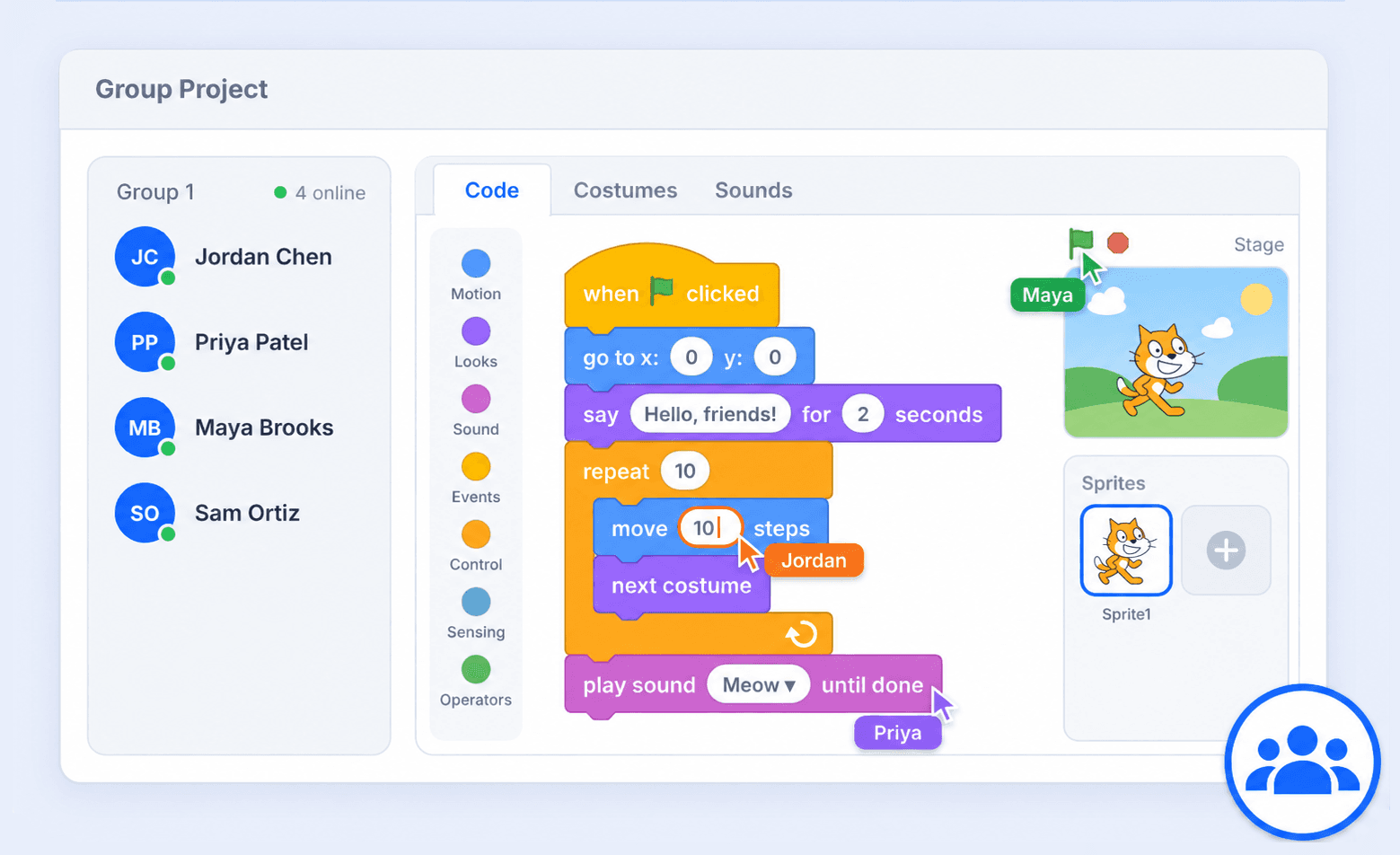
    Students can now work together in a shared workspace to tackle more complex problems. With Group Projects, you can:

    • Give students hands-on experience collaborating, problem-solving, and discussing design choices.
    • See how each student contributed with the history slider.
    • Keep students engaged as they build, test, and solve problems together.
    A Scratch group project: the Group 1 roster shows Jordan Chen, Priya Patel, Maya Brooks and Sam Ortiz all online beside a shared Scratch editor, where cursors labelled Jordan, Maya and Priya edit the same block script and stage.
    Try Group Projects
  4. Curriculum

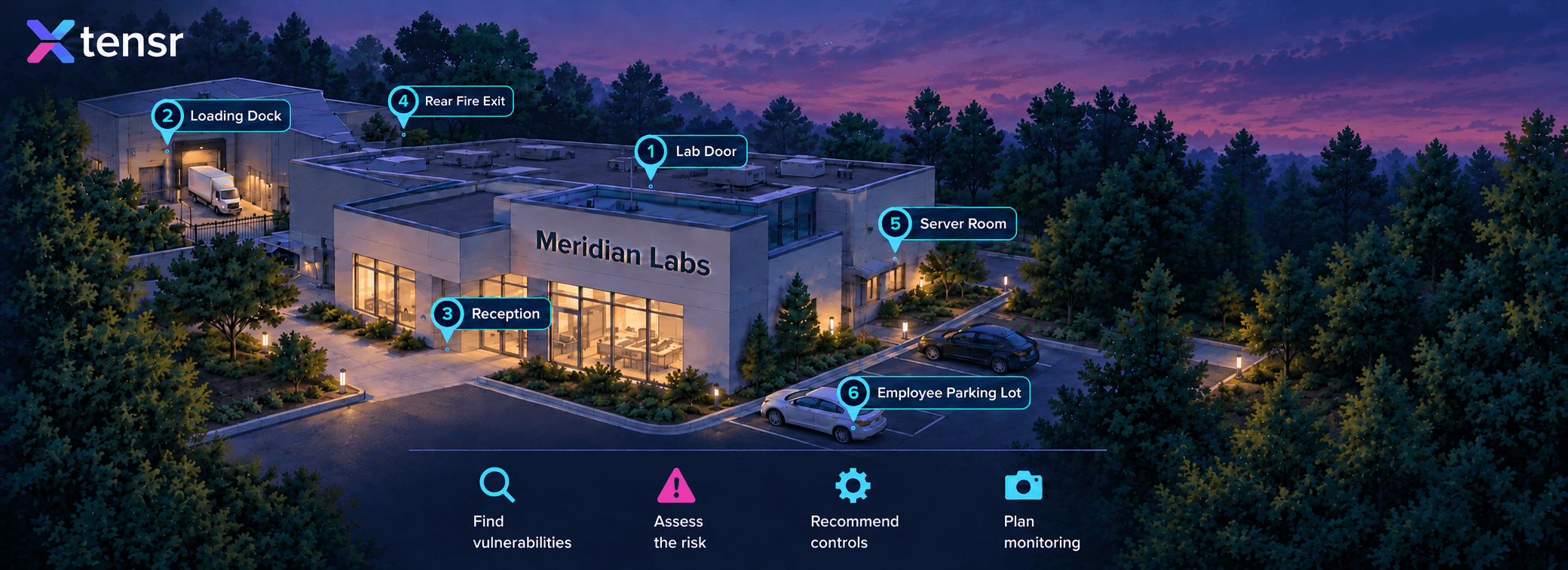
    A new AP Cybersecurity project based on Scenario 2 of the official CED. Students work through a series of realistic simulations as they assess the acquisition of a new lab facility, Meridian Labs, identifying physical and cybersecurity vulnerabilities along the way.

    The Meridian Labs research campus at twilight, seen from the air, with six numbered hotspots marking the Lab Door, Loading Dock, Reception, Rear Fire Exit, Server Room and Employee Parking Lot, above an icon strip reading Find vulnerabilities, Assess the risk, Recommend controls and Plan monitoring.
    Explore the AP Cybersecurity projects
  5. IDE

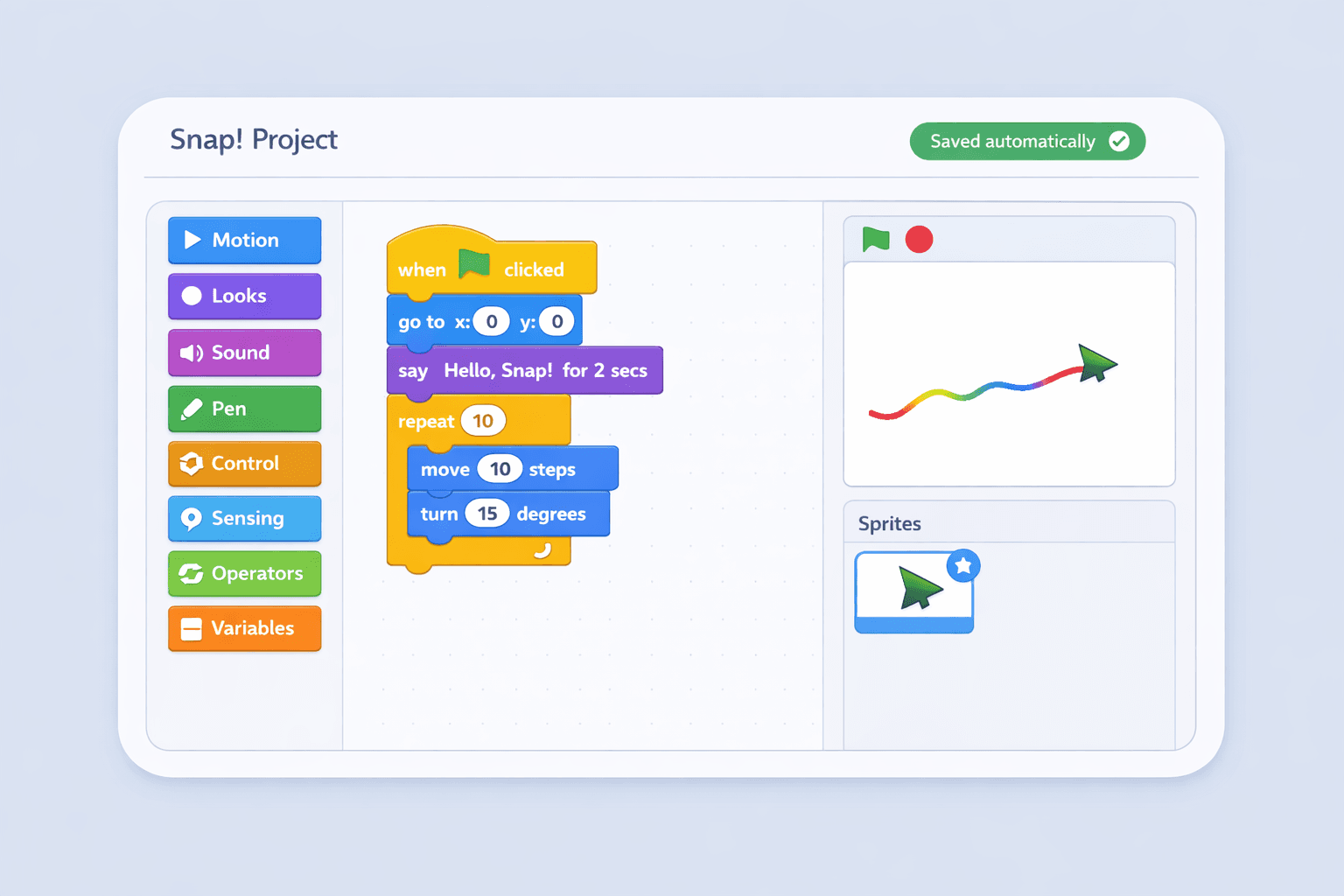
    You can now create and assign Snap! projects directly inside JuiceMind. Here are some of the advantages of using it on JuiceMind:

    • Keep student work safe with auto-saving, no save button needed.
    • View every student's code with 1-click.
    • Allow collaboration between students through group projects.
    • Provide detailed feedback and grades without switching platforms.
    • Access 24-hour live support when questions come up mid-class.
    A Snap! Project with a green Saved automatically badge: the Motion, Looks, Sound, Pen, Control, Sensing, Operators and Variables block palette sits beside a when-flag-clicked script that says Hello, Snap! and repeats move 10 steps, turn 15 degrees, while on the stage an arrowhead sprite draws a rainbow trail.
    Try Snap! on JuiceMind here
  6. Tools

    Hands-on cybersecurity labs that run in the browser. Students get a live Linux terminal in a safe, sandboxed environment — no virtual machines, no installs, and nothing touching the school network.

    • Live Linux terminals students open straight from an assignment
    • Ready-made labs teachers can assign as-is or customize
    • Automatic test cases, one-click review, comments and grading
    • Grade sync with Canvas, Schoology, and Google Classroom
    JuiceMind Cyber Range: a browser Linux terminal running grep and sha256sum against /var/log/auth.log, beside a Project Files panel marking each incident report Original, Match or Altered and summarising 4 files checked, 1 integrity mismatch.
    Explore the Cyber Range
  7. Curriculum

    A complete, College Board-aligned AP Cybersecurity curriculum. Six units across 110 class periods take students from core security principles through defending data and applications.

    • 6 units across 110 class periods, paced for 45-minute lessons
    • Fully aligned to the College Board AP Cybersecurity framework
    • Exam prep for 60 multiple-choice questions and 1 free-response question
    • Hands-on labs and real-world case studies
    AP Cybersecurity course badge: a purple card showing a padlock and shield over a laptop, labelled AP CYBERSECURITY, with a green completion checkmark in the corner.
    See the AP Cybersecurity course
  8. Curriculum

    A full-year Introduction to Computer Science course built for Arkansas classrooms and aligned to the Arkansas CS education standards.

    • Full-year course for grades 9–12, with no prerequisites
    • Aligned to the Arkansas CS education standards
    • Lesson plans, assessments and answer keys included
    • Downloadable syllabus for district and state approval
    Arkansas Introduction to Computer Science course cover: a blue 3D book carrying the Arkansas Department of Education seal and an Updated & Improved badge.
    See the Arkansas course