
Python Turtle IDE
Learn programming by creating drawings and animations. Perfect for beginners.
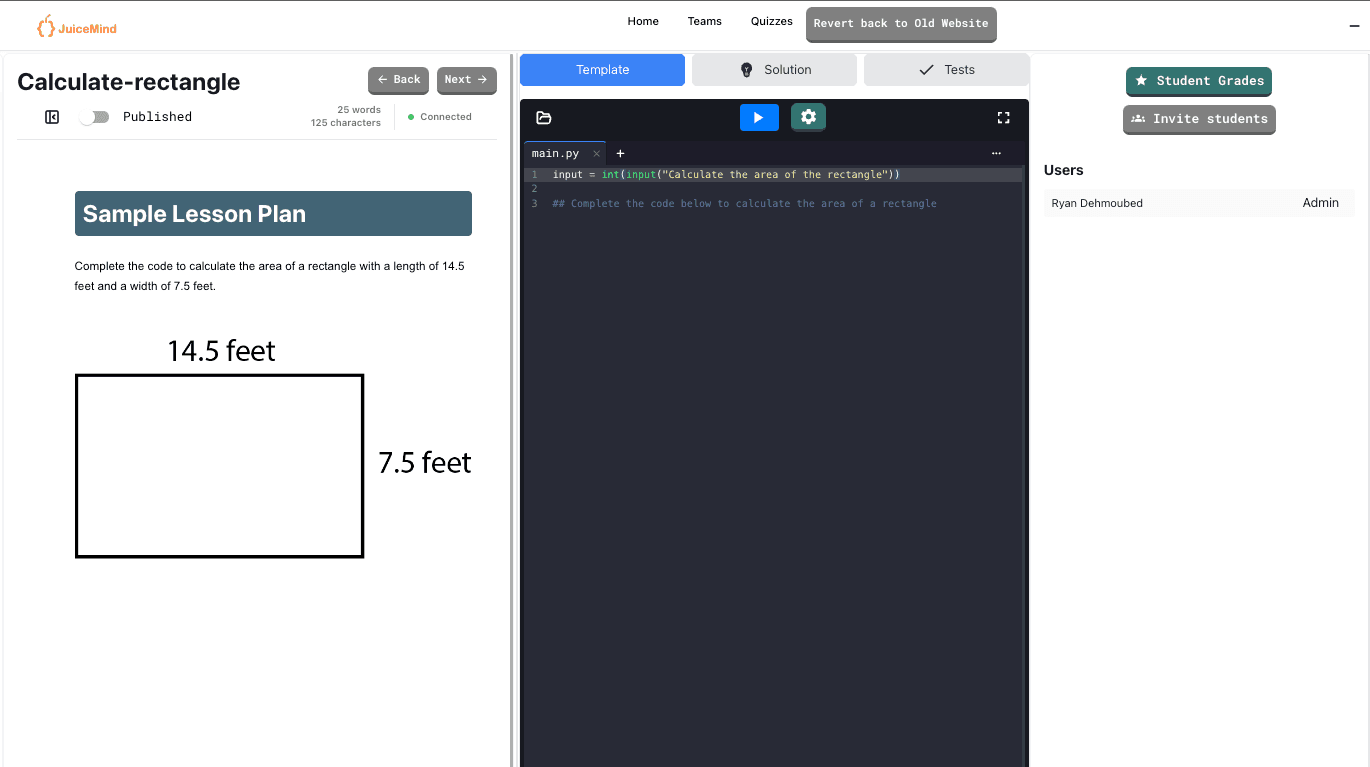
Browser-Based Python Turtle IDE
JuiceMind's online Python Turtle IDE runs entirely in your browser — students write real Python and watch the turtle draw the result beside the code. Built for K-12 classrooms, where a loop becomes a spiral and a function becomes a pattern.
Instant Turtle Graphics
Run the program and the drawing appears beside the code. No setup and no local Python.
Test Cases & Autograding
Configure unit tests that run against student code and return instant feedback automatically.
Loops You Can See
Spirals, polygons and repeating patterns make repetition concrete the first time students meet it.
Works on Chromebooks & Tablets
Any device with a web browser. Nothing to install, update, or get past IT for.
Built-in Error Detection
Clear tracebacks and inline error highlighting point students to the exact line that broke.
Save, Share & Submit
Student work saves automatically and can be shared with a link or turned in for grading.
Also available for Python
Why use JuiceMind as a teaching tool?
A complete platform built for K-12 computer science education
LTI Integration
Works with Canvas, Google Classroom, and Schoology.
Web-based
Students complete everything on any web browser.
Group Projects
Students collaborate in real-time with classmates.
Debugger
Step through code line by line to find the problem.
Pre-made Exercises
Ready-to-use exercises and projects you can assign today.
24-Hour Support
Customer support around the clock when a class needs it.
Ready to Start Coding?
Jump into our Python Turtle IDE and start writing code in seconds. No signup required to try it out.